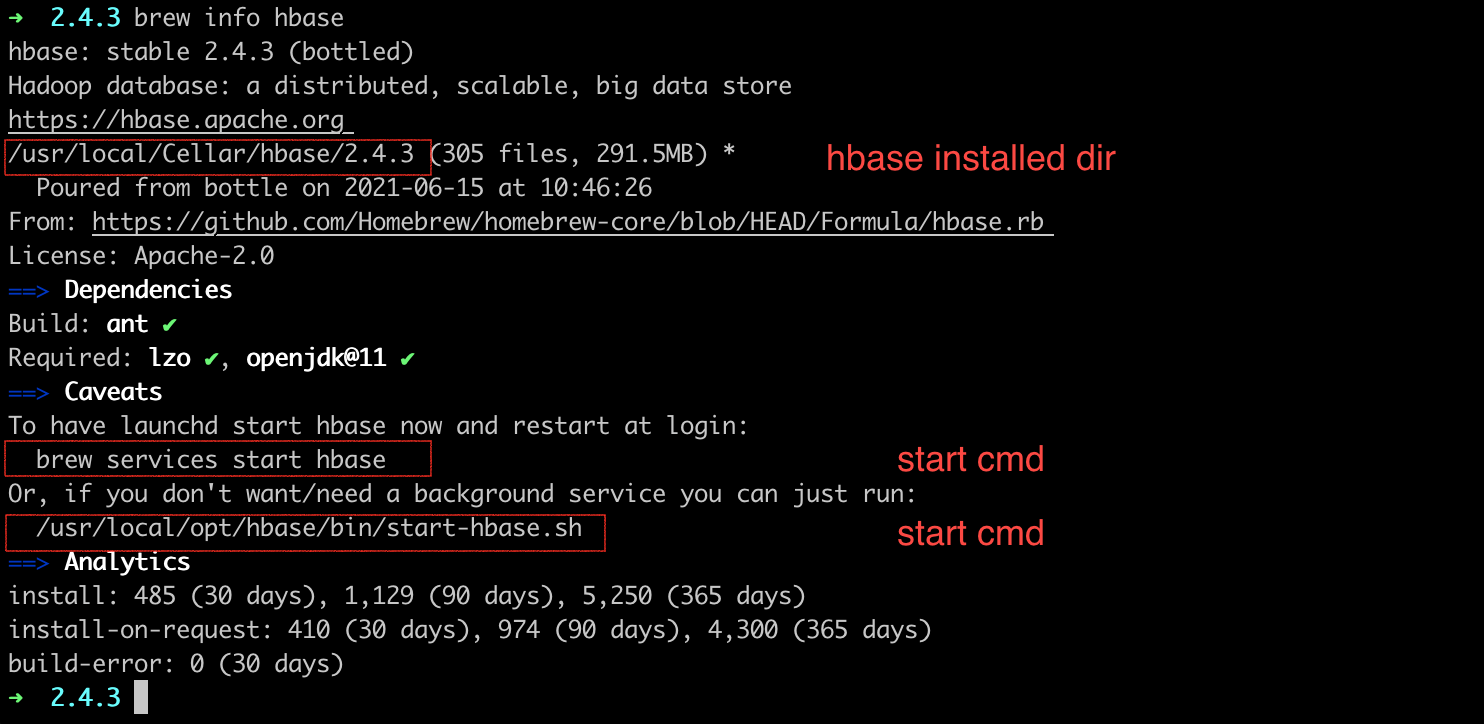
1
2
3
4
5
6
7
8
9
10
11
12
13
14
15
16
17
18
19
20
21
22
23
24
25
26
27
28
29
30
31
32
33
34
35
36
37
38
39
40
41
42
43
44
45
46
47
48
49
50
51
52
53
54
55
56
57
58
59
60
61
62
63
64
65
66
67
68
69
70
71
72
73
74
75
76
77
78
79
80
81
82
83
84
85
86
87
88
89
90
91
92
93
94
95
96
97
|
list
describe "scores"
disable "scores"
drop "scores"
drop_all 't.*'
create 'scores','grade','course'
put 'scores', 'Altman', 'grade:', '5'
put 'scores', 'Altman', 'course:math', '99'
put 'scores', 'Altman', 'course:english', '98'
put 'scores', 'Tom', 'grade', '5'
get 'scores', 'Altman'
get 'scores', 'Altman', 'grade'
get 'scores', 'Altman', 'grade', 'course:math', 'course:english'
get 'scores', 'Altman', ['grade', 'course:math', 'course:english']
get 'scores', 'Altman', {COLUMN => 'grade'}
get 'scores', 'Altman', {COLUMN => ['grade','course:math', 'course:english']}
get 'scores', 'Altman', {COLUMN => 'grade', TIMESTAMP => 1624436235582}
get 'scores', 'Altman', {COLUMN => 'grade', TIMESTAMP => 1624436235582, VERSIONS => 4}
scan 'scores'
scan 'scores', {COLUMNS => ['grade', 'course:math'], LIMIT => 10, STARTROW => 'Altman'}
scan 'scores', {COLUMNS => ['grade'], TIMERANGE => [1624436235582, 1624436335582]}
scan 'scores', {FILTER => "(PrefixFilter('Al') AND (QualifierFilter(>=, 'binary:xzy'))) AND (TimestampsFilter(123,456))"}
delete 't1', 'r1', 'c1', ts1
delete 'scores', 'Altman', 'grade'
deleteall 'scores', 'Altman'
truncate 'scores'
alter 'scores', NAME=>'info'
alter 'scores', NAME=>'info', VERSIONS => 5
alter 'scores', NAME => 'info', METHOD => 'delete'
alter 'scores', 'delete' => 'info'
alter 'scores', METHOD => 'table_att', MAX_FILESIZE => '134217728'
alter 'scores', METHOD => 'table_att', 'coprocessor' => ‘hdfs:///foo.jar|com.foo.FooRegionObserver|1001|arg1=1,arg2=2′
alter 'scores', METHOD => 'table_att_unset', NAME => 'coprocessor$1'
alter 'scores', {NAME => 'new_coloumn'}, {NAME => 'info', METHOD => 'delete'}
count 'scores'
count 'scores', INTERVAL => 100000
count 'scores', CACHE => 1000
count 'scores', INTERVAL => 100000, CACHE => 1000
disable 'scores'
disable_all 't.*'
is_disabled 'scores'
help
help 'alter'
help 'create'
hbase shell cmd.txt
|